close
Font size options
Increase or decrease the font size for this website by clicking on the 'A's.
Contrast options
Choose a color combination to give the most comfortable contrast.

Makerspace

Makerspace at Santori Library with tables, stools, machines, and rolls of colorful vinyl.

Makerspace Hours

Monday - Thursday:

1 - 7 p.m.

Friday - Saturday:

1 - 4 p.m.

The Makerspace closes at 5 p.m. on the following dates:

  • Thursday, December 11
  • Monday, December 15
  • Monday, December 22
  • Wednesday, December 31 (New Year's Eve)

No walk-in availability from Tuesday, December 23 - Friday, January 2 (Reservations will still be available).

Appointments

Appointments are not required, yet guarantee machine availability for your visit.

Make an appointment by calling 630-264-4117 or online here. Appointments must be made at least one day in advance.

Schedule an Appointment

Available Machines

Bambu Labs X1-Carbon 3D printer

3D Printing

The Makerspace has a pair of Bambu Labs X1-Carbon 3D printers that print in PLA. PLA is a safe, high-quality biodegradable plastic filament.
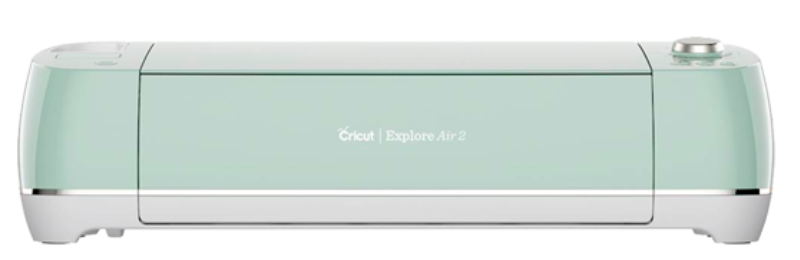
Mint green Cricut cutting machine

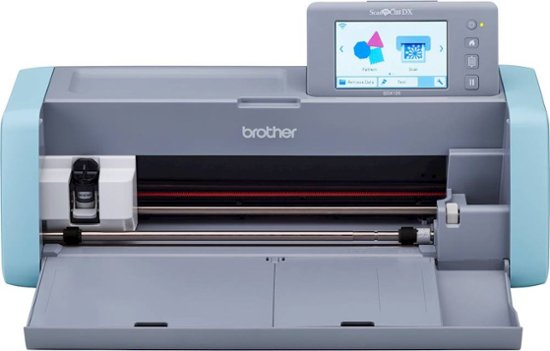
Gray and blue ScanNCut machine

Cutting Machines

The Cricut Explore Air 2 and the Brother ScanNCut SDX 125E can be used to cut designs out of a variety of materials. Create a design with the Cricut Design Space, then cut on cardstock or other materials up to 2 millimeters thick.

The Brother ScanNCut scans and traces your designs and precisely cuts them out. The ScanNCut can cut material up to 3 millimeters thick.

Heatpress machine

Heat Press

The Makerspace heat press can transfer your designs to fabric, hats, and mugs! Single-color heat-transfer vinyl cut on the Roland GS-24 or Cricut Explore Air 2 can be used, as can full-color designs printed using our sublimation printer. Make promotional materials for your business, or creative goodies for your family and friends! 

White and silver laser cutter

Laser Cutting/Engraving

The Makerspace has two laser cutters available for customer use: the Epilog Mini and the Glowforge. Our laser cutters can cut and engrave a variety of materials, including wood, acrylic, leather, cardboard, and more! Materials for laser cutting, including specialty items such as cutting boards, keychains, and coasters, are available for purchase.     
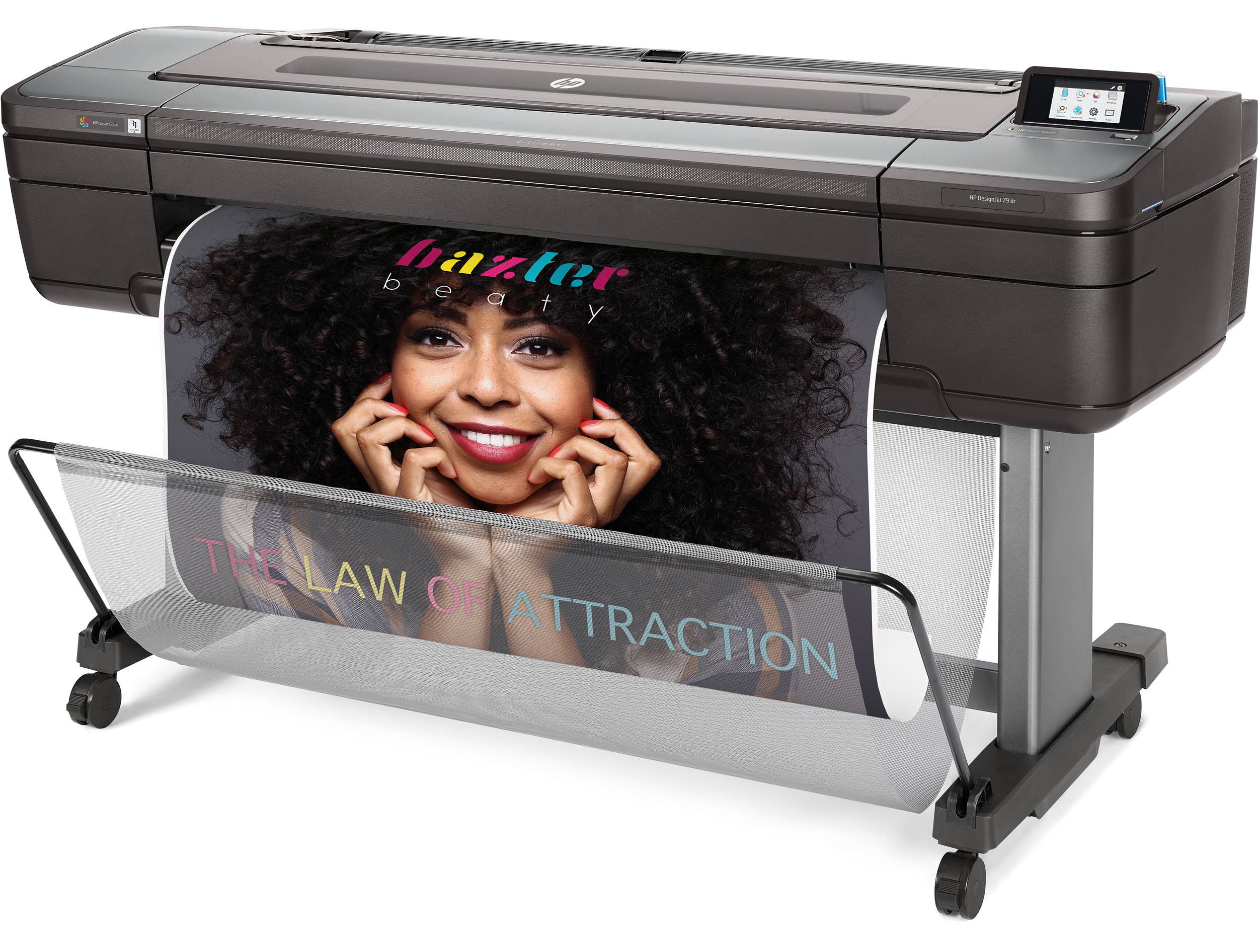
Large printer on wheels printing a poster of a smiling face

Plotter Printer

The HP can print posters up to three feet wide on a variety of materials, including glossy, heavyweight, adhesive, and outdoor paper. Grommets are available for certain materials.
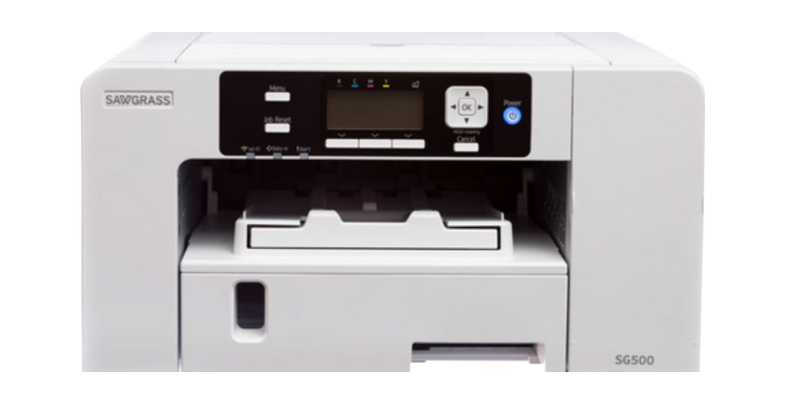
White and black printer machine.

Sublimation Printer

The sublimation printer can print full-color designs created using the Makerspace’s creative software onto fabric, plastic, or metal sublimation blanks. 
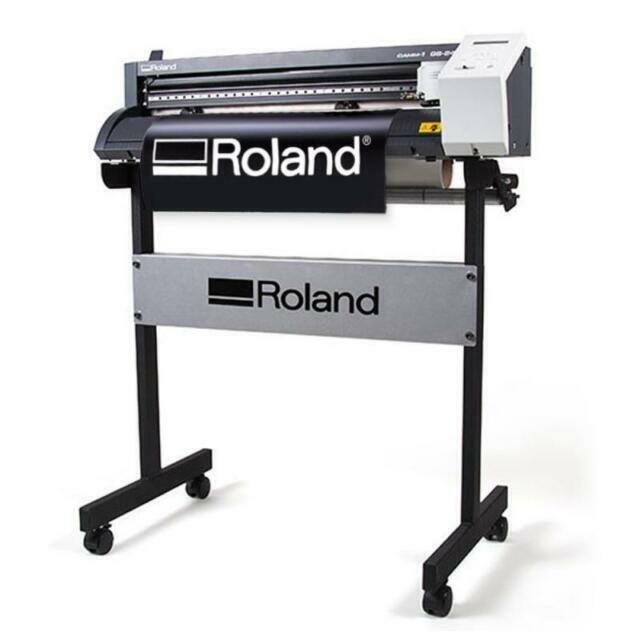
Rowland brand vinyl cutter

Vinyl Cutter

The Roland GS-24 can cut vinyl decals up to two feet wide in an assortment of colors. Oracal 651 permanent outdoor adhesive vinyl is available for purchase in the Makerspace and can be used on windows, vehicles and more. The Makerspace also has a supply of Siser Easyweed Vinyl which can be used with our Heat Press to create your very own T-shirts!

Software

  • Affinity - This all-in-one graphic design software is used for vector design, digital illustration, and photo editing.

  • Adobe Acrobat Pro – Adobe’s PDF editor 

  • Adobe Illustrator – Adobe’s drawing program that allows you to work with vectors.

  • Adobe InDesign- Adobe’s layout software allowing you to create flyers, menus, and brochures. 

  • Adobe Lightroom- Adobe’s photo management software. 

  • Adobe Photoshop – Adobe’s painting program that can edit photos, create graphics, and more.  

  • Bambu Studio - This slicing software is optimized for use with Bambu Labs 3D printers.

  • Blender - This software is a 3D creation suite used for 3D modeling and animation.

  • Corel Suite 2025 – Drawing and painting software 

  • Cricut Design Space – This software allows you to access the Cricut and cut a variety of materials. 

  • GIMP - This software is an open-source alternative to Adobe Photoshop.

  • Roland CutStudio - This software allows you to easily prepare designs for vinyl cutting.

Pricing

3D Printing PLA  $.05 a gram
Siser Easyweed HTV $3.00 a ft
Oracal Outdoor Sticker Vinyl $1.00 a ft
Standard, Heavyweight, Photo Paper $5.00 a ft
Outdoor Banner Paper   $10.00 a ft
Sublimation Printing (Sublimation Sheet Size (8.5x11) $1.00 a sheet
Laser and Sublimation Materials At Cost

FAQ

Where is the Makerspace located?

On the 1st floor of Santori Library.

When is the Makerspace open?

Monday - Thursday from 1 - 7 p.m. and Friday - Saturday from 1 - 4 p.m.

Do I need to have a reservation to use the Makerspace?

No, the Makerspace is open for walk-in use. A reservation for a specific machine may be made to guarantee availability. A customer without a reservation can use an available machine for up to 1 hour.

How long can I reserve a machine for?

A customer or group of customers can reserve a single machine for 1 hour per day. Reservations will be honored up to 15 minutes past the scheduled time.

Can I make multiple reservations each day?

No, each customer or group of customers is limited to a single reservation per day.

Can I use the Makerspace machines independently?

Yes, all customers are encouraged to use the machines independently. Staff are available to teach new customers the basics of operating the machines, offer troubleshooting help, and process payment for materials.

Are there any machines I can't use independently?

The 3D printers and sublimation printer are operated by Makerspace staff.

What safety precautions are there in the Makerspace?

Makerspace supplies include rubber gloves for working with certain glues or paints, heat-resistant gloves for operating the heat press, and an air purifier. Makerspace staff may require customers to use safety precautions when working on certain projects. A signed facilities and equipment waiver is required from all customers before use of the Makerspace machines.

How long can I stay in the Makerspace?

There is no time limit on using the Makerspace. Customers may use a machine for more than 1 hour so long as no other customers are waiting to use it; if another customer is waiting, the first customer should end their use of the machine within 10 minutes of being notified.

How old do I have to be to use the Makerspace?

Customers over the age of 12 are allowed to use the Makerspace. Customers under the age of 18 must have a caregiver's written approval to operate Makerspace machines.

Can I use the Makerspace without a library card?

Yes, we welcome any customers to use the Makerspace regardless of where they live.

What does it cost to use the Makerspace?

Materials for all machines are sold in the Makerspace at cost. Customers are required to use the provided materials for the plotter printer, 3D printers, and vinyl cutter.

Can you bring in your own materials?

Yes, customers are welcome to bring in outside materials for use with our Cricut, laser cutter, or heat press. Please note that all materials must be reviewed by Makerspace staff to ensure that they are safe to use. It is recommended that customers bring in a receipt showing where the material was purchased and what its intended use is.

Can I send requests to the Makerspace from home?

3D print requests may be sent to Makerspace staff using the 3D printing request form. Makerspace staff cannot accept remote requests for any other projects.


Upcoming Programs

Skip Technology Classes widget
Mon, Dec 15, 6:00pm - 7:00pm
Santori Library - Makerspace Room 119
Curious about cutting machines like the Cricut Maker 3? Join us in the Makerspace to learn how to create a design in Cricut Design Space and then cut it on our vinyl sticker material.
Registration is now closed

Mon, Dec 22, 6:00pm - 7:00pm
Santori Library - Makerspace Room 119
Use the Makerspace's laser cutter to create festive ornaments for the holiday season!
This event is full

Tue, Jan 06, 6:00pm - 7:00pm
Santori Library - Makerspace Room 119
We will demonstrate how to use the Cricut vinyl cutter to cut out stickers, then attach to a wooden circle for hanging.
This event is full

Thu, Jan 08, 1:00pm - 3:00pm
Santori Library - Board Room 332
Walk in and meet one of the library's Digital Navigator Career Coaches. No appointment necessary. Reúnete con un asesor profesional de la bliblioteca. ¡No se requieren citas!

Thu, Jan 08, 5:00pm - 7:00pm
Santori Library - Board Room 332
Walk in and meet one of the library's Digital Navigator Career Coaches. No appointment necessary. Reúnete con un asesor profesional de la bliblioteca. ¡No se requieren citas!

Mon, Jan 12, 6:00pm - 7:00pm
Santori Library - Makerspace Room 119
We will demonstrate how to use the Makerspace's sublimation printer and heat press to transfer a photo or design of your choice to a bookmark.

Tue, Jan 13, 6:00pm - 7:00pm
Santori Library - Makerspace Room 119
Learn about the Makerspace's 3D printers and how to either find premade files on Thingiverse or make your own creations in Tinkercad.
Registration opens Tuesday, December 16 2025 at 6:00pm

Wed, Jan 14, 6:00pm - 7:00pm
Santori Library - Technology Lab 218
Explore generative AI with library staff in this walk-in event. We will give a brief background on AI, its possibilities and its drawbacks, then let you try out some powerful AI tools for yourself.

Mon, Jan 19, 6:00pm - 7:00pm
Santori Library - Makerspace Room 119
Join us in the Makerspace for a tutorial on how to use our Roland© vinyl cutter and the CorelDRAW graphics editing software to make your own vinyl decals for windows, water bottles, binders, and more.
Registration opens Monday, December 22 2025 at 6:00pm

Thu, Jan 22, 1:00pm - 3:00pm
Santori Library - Board Room 332
Walk in and meet one of the library's Digital Navigator Career Coaches. No appointment necessary. Reúnete con un asesor profesional de la bliblioteca. ¡No se requieren citas!

Thu, Jan 22, 5:00pm - 7:00pm
Santori Library - Board Room 332
Walk in and meet one of the library's Digital Navigator Career Coaches. No appointment necessary. Reúnete con un asesor profesional de la bliblioteca. ¡No se requieren citas!

Thu, Jan 22, 6:00pm - 7:00pm
Santori Library - Makerspace Room 119
Learn more about 3D printing in the Makerspace, then paint your own 3D-printed penguin to take home!
Registration opens Friday, December 26 2025 at 6:00pm

Mon, Feb 02, 6:00pm - 7:00pm
Santori Library - Makerspace Room 119
Come visit the Makerspace and learn how to make your own customized rubber stamp with the laser cutter for Valentine's Day.
Registration opens Monday, January 5 2026 at 9:00am

Tue, Feb 03, 6:00pm - 7:00pm
Santori Library - Makerspace Room 119
Let's celebrate February by learning how to use heat transfer vinyl to customize a bandana with your pet's name!
Registration opens Tuesday, January 6 2026 at 9:00am

Sat, Feb 07, 10:00am - 11:00am
Santori Library - Technology Lab 218
Aquí aprenderá las habilidades básicas para usar el ratón y el teclado. Registro requerido.

Sat, Feb 07, 1:00pm - 3:00pm
Santori Library - Board Room 332
Walk in and meet one of the library's Digital Navigator Career Coaches. No appointment necessary. Reúnete con un asesor profesional de la bliblioteca. ¡No se requieren citas!

Mon, Feb 09, 6:00pm - 7:00pm
Santori Library - Technology Lab 218
Learn how to design your own Valentine's heart keychain for 3D printing!
Registration opens Monday, January 12 2026 at 9:00am

Wed, Feb 11, 6:00pm - 7:30pm
Santori Library - Meeting Room 125/126 Combined
In collaboration with the Makerspace, let's celebrate Valentine's Day by learning how to sublimate the iconic candy heart image onto a pencil pouch! Ages 12+. Caregivers are welcome.

Thu, Feb 12, 1:00pm - 3:00pm
Santori Library - Board Room 332
Walk in and meet one of the library's Digital Navigator Career Coaches. No appointment necessary. Reúnete con un asesor profesional de la bliblioteca. ¡No se requieren citas!

Thu, Feb 12, 5:00pm - 7:00pm
Santori Library - Study Room 315
Walk in and meet one of the library's Digital Navigator Career Coaches. No appointment necessary. Reúnete con un asesor profesional de la bliblioteca. ¡No se requieren citas!

Thu, Feb 12, 6:00pm - 7:00pm
Santori Library - Makerspace Room 119
Celebrate Valentine's Day with a personalized gift for your loved one! Engrave a wooden heart with a name, custom message, or even a picture.
Registration opens Wednesday, January 14 2026 at 9:00am

Wed, Feb 18, 6:00pm - 7:00pm
Santori Library - Makerspace Room 119
Join us for a fun Valentine's Day workshop where you'll learn how to design and create your own personalized keychain using a sublimation printer and heat press.
Registration opens Wednesday, January 21 2026 at 9:00am

Thu, Feb 26, 5:00pm - 7:00pm
Santori Library - Board Room 332
Walk in and meet one of the library's Digital Navigator Career Coaches. No appointment necessary. Reúnete con un asesor profesional de la bliblioteca. ¡No se requieren citas!

Mon, Mar 02, 6:00pm - 7:00pm
Santori Library - Makerspace Room 119
Join us in the Makerspace for a tutorial on how to use our Roland© vinyl cutter and the CorelDRAW graphics editing software to make your own vinyl decals for windows, water bottles, binders, and more.
Registration opens Monday, February 2 2026 at 9:00am

Sat, Mar 07, 1:00pm - 3:00pm
Santori Library - Board Room 332
Walk in and meet one of the library's Digital Navigator Career Coaches. No appointment necessary. Reúnete con un asesor profesional de la bliblioteca. ¡No se requieren citas!

Tue, Mar 10, 6:00pm - 7:00pm
Santori Library - Teen Program Room 224
Join us to see how the Cricut Maker 3 can cut a design out of felt, then assemble your own "Book Lover" bag charm!
Registration opens Tuesday, February 10 2026 at 9:00am

Wed, Mar 11, 6:00pm - 7:00pm
Santori Library - Makerspace Room 119
Feeling lucky? Get ready for St. Patrick's Day with the perfect green earrings to match! Using the laser cutter, shape your perfect clover and create custom earrings for your St. Patty Party outfit.
Registration opens Wednesday, February 11 2026 at 9:00am

Thu, Mar 12, 1:00pm - 3:00pm
Santori Library - Board Room 332
Walk in and meet one of the library's Digital Navigator Career Coaches. No appointment necessary. Reúnete con un asesor profesional de la bliblioteca. ¡No se requieren citas!

Thu, Mar 12, 5:00pm - 7:00pm
Santori Library - Board Room 332
Walk in and meet one of the library's Digital Navigator Career Coaches. No appointment necessary. Reúnete con un asesor profesional de la bliblioteca. ¡No se requieren citas!

Sat, Mar 14, 10:00am - 11:00am
Santori Library - Technology Lab 218
Aquí aprenderá las habilidades básicas para usar el programa Microsoft Word. Registro requerido.
Registration opens Saturday, March 14 2026 at 10:00am